How to search for literature
A guide to searching for literature in our library catalogue Oria.
Doing a simple search in Oria
Most people will manage with the simple search in Oria. Just type in your search term at the top of the page.
Here’s how to perform a simple search in Oria:
Advanced search in Oria
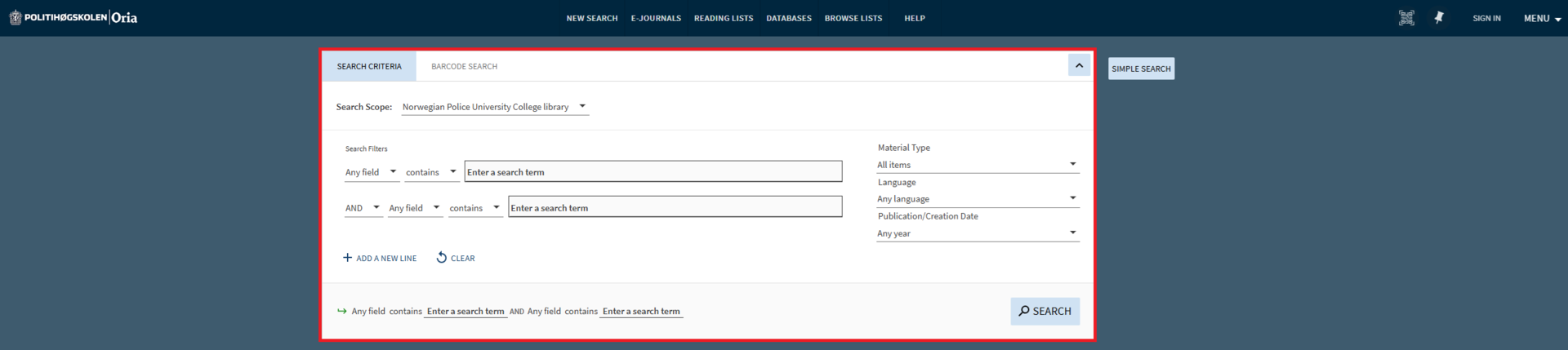
If you want to be more precise in your search, you can use the advanced search feature.
In the advanced search tab, you can add multiple search criteria, such as document type (article/book, etc.), language and publication year. You can also choose to search specifically by author, title, or subject.
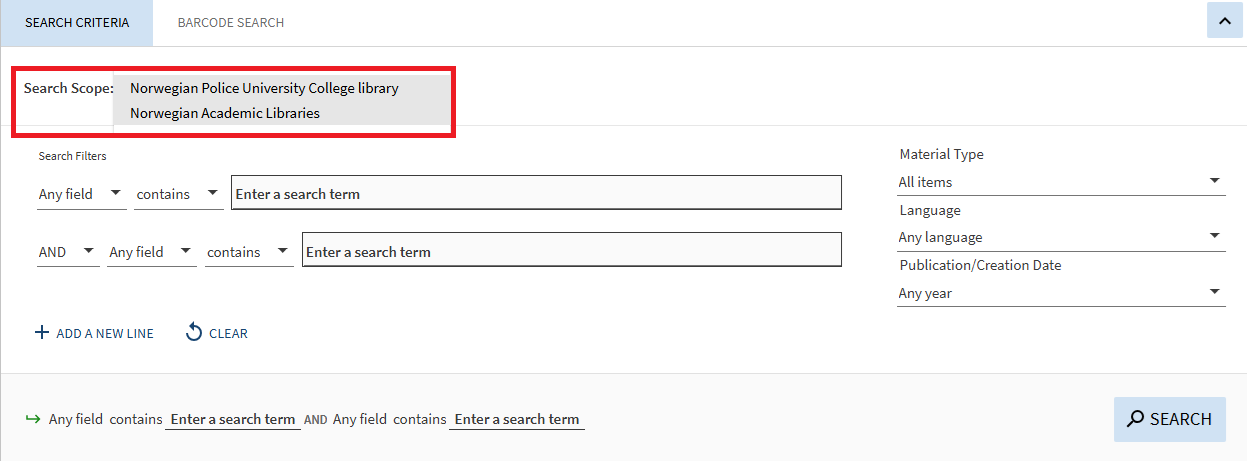
You can expand your search from the Norwegian Police University College's collection to include all Norwegian academic libraries.
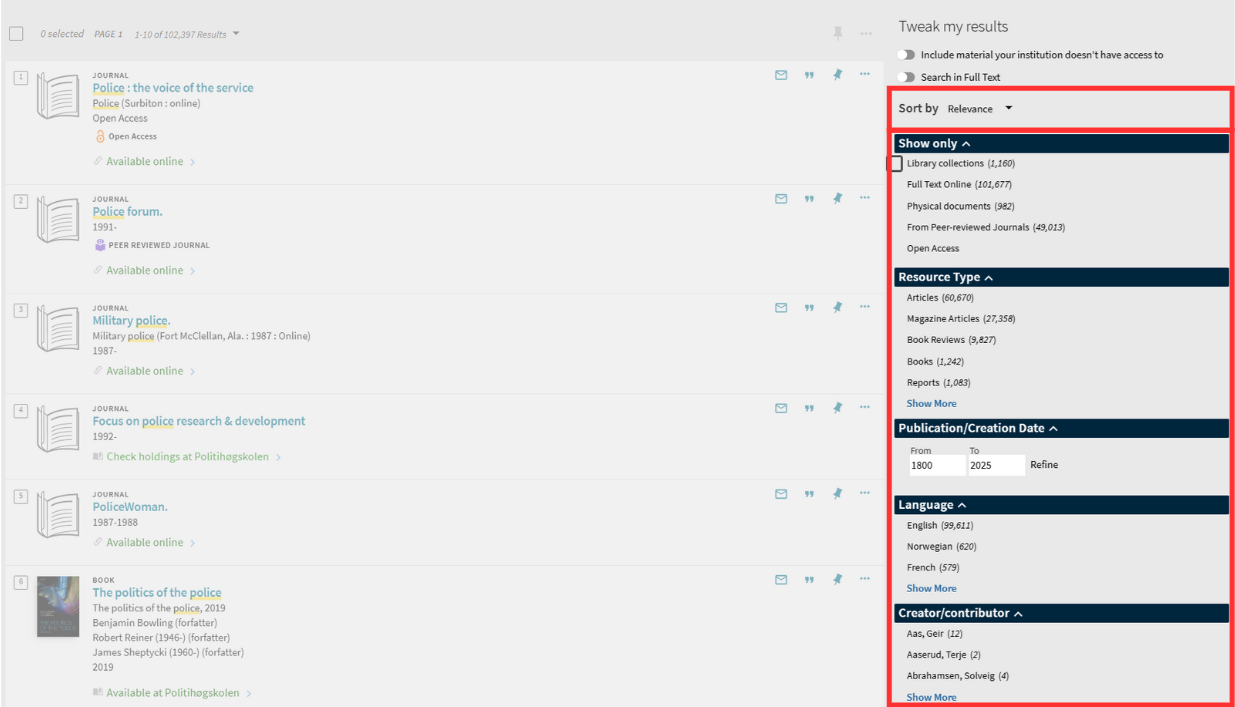
Adjust my search
If you want to search for literature outside the Norwegian Police University College, you can change the search scope from "Norwegian Police University College" to "Norwegian Academic Libraries."

You can refine your search in the column to the right of the results list. Here, you can narrow or exclude results based on criteria such as material type (article, dissertation, book), language, subject, or publication year.
Are you ready to become a library user?
Check out the pages about loans and using the library:
Students and staff at the Norwegian Police University College
Do you want to learn more about literature searching?
Check out the library's Canvas course, where you'll find training in literature searches, reference management, academic writing, and more.